Table of Contents
前言
NixOS 是一个高度模块化、配置即代码的 Linux 发行版,但初次上手时,尤其是涉及 Nvidia 显卡驱动配置,常常让人摸不着头脑。本文记录了我在闲置笔记本上 Nvidia 独显的相关配置。
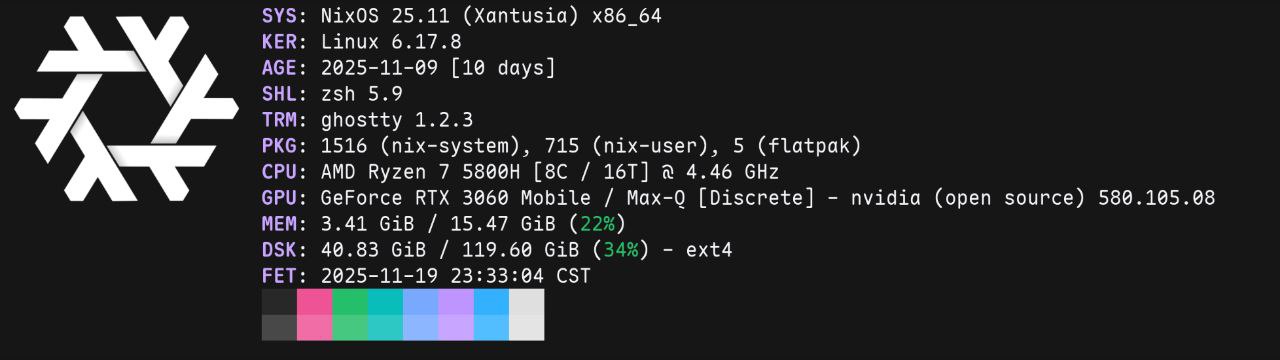
我的设备环境
- 系统:Nix0S 25.11 (Xantusia) x86_64
- CPU:AMD Ryzen 7 5800H[8C / 16T] @ 4.46 GHz
- 显卡:GeForce RTX 3060 Mobile/ Max-Q [Discrete]
配置文件示例(nvidia.nix)
下面是我的 nvidia.nix 配置,直接复制到你的配置文件里,然后根据自己硬件调整 Bus ID:
{ config, pkgs, ... }:{ hardware.graphics = { enable = true; enable32Bit = true; # 兼容 Steam/Wine 等 32 位程序 }; services.xserver.videoDrivers = [ "nvidia" ]; hardware.nvidia = { open = true; # RTX 20 系列及以上建议开启 prime = { sync.enable = true; # 开启同步模式,防止撕裂 amdgpuBusId = "PCI:6:0:0"; # 替换为你自己的核显 Bus ID,如果是 intel 就换为 intelgpuBusId nvidiaBusId = "PCI:1:0:0"; # 替换为你自己的独显 Bus ID }; };}主要参数说明
hardware.graphics:新版 NixOS 用这个代替hardware.opengl,记得开启enable32Bit,否则很多游戏和老程序跑不了。hardware.nvidia.open:如果你的显卡是 RTX 20 系列或更新的,可以用开源驱动(open = true),老显卡建议用闭源(open = false),否则可能黑屏。prime.sync:Sync 模式能解决撕裂问题,适合需要高性能的场景,但会让独显一直工作,耗电会高一些。
如何查 Bus ID?
每台电脑的 Bus ID 都不一样,不能直接抄。用下面命令查:
lspci | grep -E "VGA|3D"你会看到类似:
01:00.0 VGA compatible controller: NVIDIA Corporation ...06:00.0 VGA compatible controller: Advanced Micro Devices, Inc. ...把前面的编号(比如 01:00.0)填到配置里的 nvidiaBusId 和 amdgpuBusId,格式如上。
个人 NixOS Config 仓库
使用 Nix Flakes 和 home-manager管理
❄️A reproducible and declarative NixOS configuration, managed with Flakes and Home Manager. Customized for a seamless development workflow.
00MITGLSL